Windows
Recommended mirrorDownload the Windows installer, run it, and keep Freestock running while you use browser automation.
Download Freestock for WindowsFreestock is the recommended installer and automatic updater for the Microstock.Plus Chrome extension. It keeps the local extension folder current, provides the local bridge on 127.0.0.1:7332, and also works as a local file client for Microstock.Plus and Qwertystock.
Download the Windows installer, run it, and keep Freestock running while you use browser automation.
Download Freestock for WindowsDownload the macOS installer script, run it, and keep Freestock running while you use browser automation.
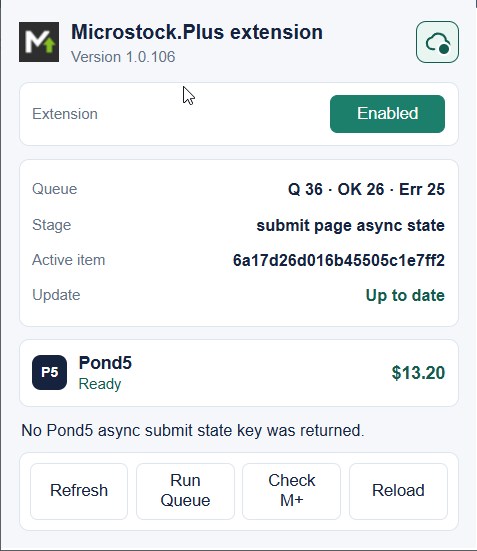
Download macOS installerThe browser extension works through an authorized Chrome profile. Microstock.Plus owns the queue, while the extension performs the browser upload, metadata entry, release attachment, and final submit in Pond5 without the classic FTP worker pipeline.
Pond5 queue processing works on supported Microstock.Plus extension versions even when a newer release is available.
Only extensions older than the minimum supported version are blocked from receiving the Pond5 queue. Compatible older versions keep working, but Freestock should still update them automatically.
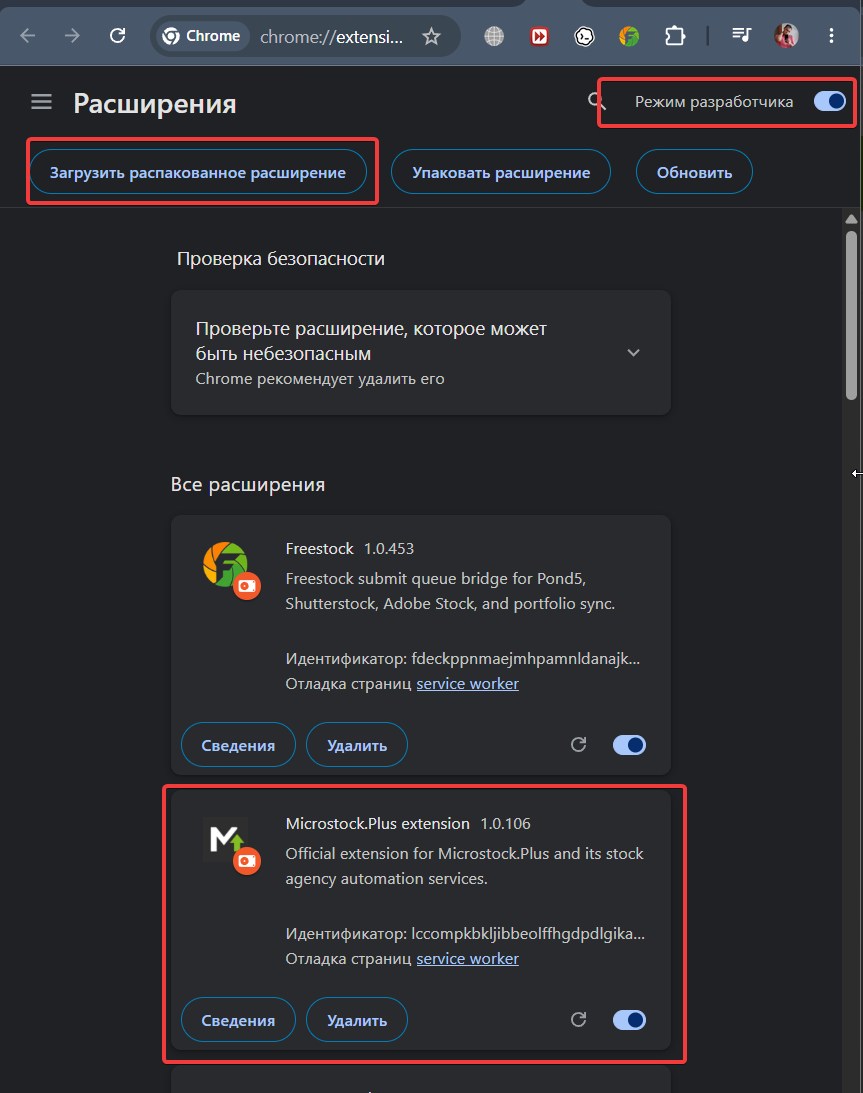
Complete these steps once. Use the Freestock local page as the source of the extension folder path; Freestock updates that folder automatically.
http://127.0.0.1:7332/webserver/microstock-plus-extension
Open this local Freestock page and copy the actual extension folder path shown there. Use that copied path when Chrome asks for the Load unpacked folder.